
Table of Contents
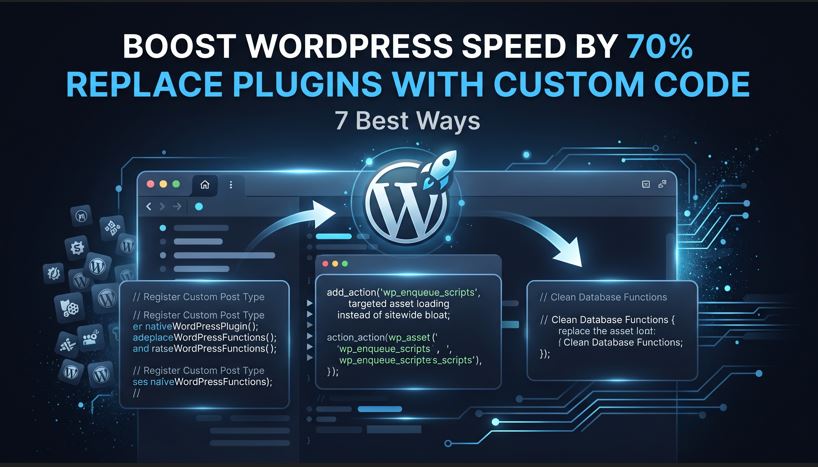
7 Best Ways to Replace WordPress Plugins with Custom Code and Boost Speed by 70%
WordPress ki sab se bari taqat uska asan aur flexible ecosystem hai. Jab bhi kisi business owner, store manager, ya digital marketer ko koi naya feature chahiye hota hai—chahe wo WhatsApp chat button ho, dynamic pricing rule ho, ya social share icons hon—pehla mashwara hamesha yehi milta hai: “Is kaam ke liye plugin install kar lo.”
Shuru me ye rasta bohot aasan lagta hai. Lekin waqt ke sath jab website par 30, 40, ya 50 se zyada third-party plugins jama ho jate hain, to website aahista aahista ek aisi gaari ban jati hai jis par be-panah wazan lada hua ho. Nateeja ye nikalta hai ke page load hone me 6 se 8 second lagte hain, Google ke Core Web Vitals red ho jate hain, checkout page atakta hai, aur direct conversion rate girna shuru ho jata hai.
Is article me hum gehrayi se samjhein ge ke third-party plugins ka be-dareegh istemal aapki website ke engine ko andar se kaise tabah karta hai, unhein lightweight custom code ya single bespoke plugin se replace karne ke kya technical faiday hain, aur ye tabdeeli aapke business ki bottom line ko kaise munafa bakhsh bana sakti hai.
“There Is a Plugin for That”: Ek Mehnga Aur Khatarnak Dhoka
WordPress repository me hazaron muft aur paid plugins mojood hain. Lekin ek aam user ye nahi janta ke commercial plugins kis maqsad ke liye design kiye jate hain. Commercial plugin developers ko apna product hazaron mukhtalif themes, page builders, hosting environments, aur alag alag use cases ke sath compatible banana hota hai.
Is universal compatibility ko hasil karne ke liye wo code me har tarah ke checks, frameworks, settings panels, aur extra libraries shamil karte hain. Jab aap kisi ek chote se feature ke liye aam commercial plugin install karte hain, to dar-haqeeqat aap sirf us feature ko nahi le rahe hote, balki uske sath aane wale 90 feesad ghair zaroori bojh ko bhi apni website me dakhil kar rahe hote hain.
1. Global Asset Enqueuing Ka Masla
WordPress ki sab se bari taqat uska asan aur flexible ecosystem hai. Jab bhi kisi business owner, store manager, ya digital marketer ko koi naya feature chahiye hota hai—chahe wo WhatsApp chat button ho, dynamic pricing rule ho, ya social share icons hon—pehla mashwara hamesha yehi milta hai: “Is kaam ke liye plugin install kar lo.”
Shuru me ye rasta bohot aasan lagta hai. Lekin waqt ke sath jab website par 30, 40, ya 50 se zyada third-party plugins jama ho jate hain, to website aahista aahista ek aisi gaari ban jati hai jis par be-panah wazan lada hua ho. Nateeja ye nikalta hai ke page load hone me 6 se 8 second lagte hain, Google ke Core Web Vitals red ho jate hain, checkout page atakta hai, aur direct conversion rate girna shuru ho jata hai.
Is article me hum gehrayi se samjhein ge ke third-party plugins ka be-dareegh istemal aapki website ke engine ko andar se kaise tabah karta hai, unhein lightweight custom code ya single bespoke plugin se replace karne ke kya technical faiday hain, aur ye tabdeeli aapke business ki bottom line ko kaise munafa bakhsh bana sakti hai.
“There Is a Plugin for That”: Ek Mehnga Aur Khatarnak Dhoka
WordPress repository me hazaron muft aur paid plugins mojood hain. Lekin ek aam user ye nahi janta ke commercial plugins kis maqsad ke liye design kiye jate hain. Commercial plugin developers ko apna product hazaron mukhtalif themes, page builders, hosting environments, aur alag alag use cases ke sath compatible banana hota hai.
Is universal compatibility ko hasil karne ke liye wo code me har tarah ke checks, frameworks, settings panels, aur extra libraries shamil karte hain. Jab aap kisi ek chote se feature ke liye aam commercial plugin install karte hain, to dar-haqeeqat aap sirf us feature ko nahi le rahe hote, balki uske sath aane wale 90 feesad ghair zaroori bojh ko bhi apni website me dakhil kar rahe hote hain.
1. Global Asset Enqueuing Ka Masla
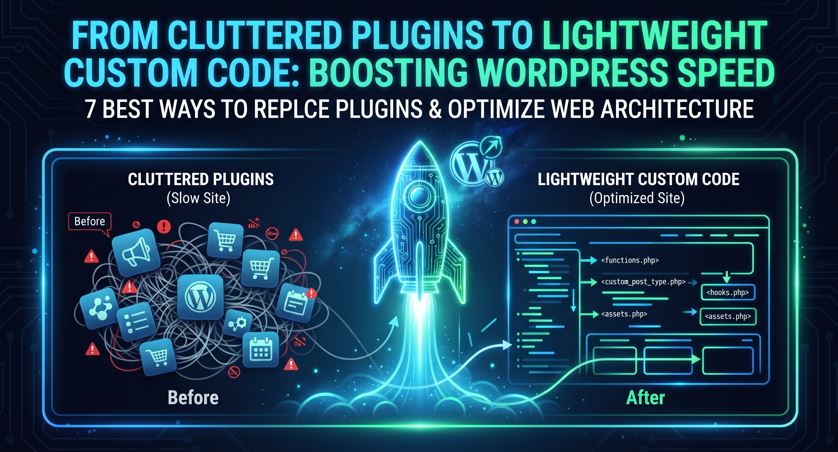
Aksar commercial plugins aisi files load karte hain jo har page par zaroori nahi hoteen. Misal ke tor par, agar aapne contact form ke liye koi plugin lagaya hai, to uski CSS aur JavaScript files na sirf contact page par load hon gi balki wo aapke homepage, blog posts, aur yahan tak ke e-commerce checkout page par bhi load ho rahi hon gi. Ye un-used assets browser ke main-thread ko block kar dete hain aur loading speed ko barha dete hain.
2. Database Ka Phoolna Aur Autoloaded Bloat
WordPress ka database tables ka structure bohot seedha hai, jisme wp_options table site ki setting aur configurations ke liye istemal hota hai. Zyadatar commercial plugins apna data is table me save karte hain aur un records par autoload ka flag ‘yes’ chorr dete hain. Iska nuqsan ye hota hai ke chahe user aapke blog par ho ya kisi product page par, server ko har page load par 1 MB se 3 MB tak ka be-faida setting data memory me parhna parta hai, jis se server ka processor thak jata hai.
3. Server Response Time (TTFB) Me Izafa
Time to First Byte (TTFB) wo waqt hota hai jo user ke browser ko server se pehla response hasil karne me lagta hai. Jab server par 40 mukhtalif plugins active hote hain, to har page view par server ko 40 alag folders se PHP files initialize karni parti hain, database se bar bar queries chalani parti hain, aur hook functions run karne parte hain. Ye lambi execution server ko sust kar deti hai aur TTFB seedha 800ms ya 1 second se ooper chala jata hai.
Google Core Web Vitals Par Plugin Bloat Ke Asraat
Google ab sirf content nahi dekhta, balki user experience aur site ki technical health ko ranking ka bara hissa banata hai. Is hawale se Core Web Vitals bohot ahem kirdar ada karte hain. Jab aapki site par plugins ka dher laga hota hai, to teeno ahem metrics mutasir hote hain:
Interaction to Next Paint (INP) Ka Kharab Hona
INP ye napta hai ke jab user page par kisi button, menu, ya form par click karta hai to page kitni jaldi us par react karta hai. Bhari JavaScript bundles jo mukhtalif plugins sath le kar aate hain, wo browser ke main thread ko ghanton busy rakhti hain. Jab user kisi button par click karta hai, to browser foran jawab nahi de pata kyun ke wo kisi plugin ki be-matlab script parh raha hota hai. Nateeja ye hota hai ke INP poor ho jata hai aur user website chorr kar chala jata hai.
Largest Contentful Paint (LCP) Me Takheer
LCP ka matlab hai ke page ka sab se bara hissa (hero banner, main heading, ya product image) kitni der me load hota hai. Agar aapke plugins render-blocking CSS aur JavaScript styles load kar rahe hain, to browser visual hissa dikhane se pehle un files ko download karne lag jata hai. Is se LCP 2.5 second ke safe zone se nikal kar 5 ya 6 second par chala jata hai.
Cumulative Layout Shift (CLS) Aur Visual Instability
Aksar notification bars, chat widgets, aur social proof plugins page load hone ke aakhri second me achank pop up hote hain. Is se page ka content achanak neechay ya ooper khisak jata hai. User agar kisi link par click karne wala ho to ghalat jagah click ho jata hai. Google is visual unstability ko sakhti se napasand karta hai aur ranking down kar deta hai.
6 Aise Ahem Kaam Jin Ke Liye Kabhi Bhari Plugins Istemal Nahi Karne Chahiyein
Bohot se aam functions aise hain jinhein handle karne ke liye sirf chand lines ka clean aur native code darkar hota hai, lekin log inke liye poore poore software modules download kar lete hain. Agar aap in 6 cheezon ke liye plugins hata kar custom code istemal karein, to aapki site foran aadhi halki ho sakti hai:
1. Custom Post Types Aur Nayi Taxonomies
Agar aap apni site par portfolio items, team members, testimonials, ya case studies ka alag section banana chahte hain, to iske liye UI post type builder plugins lagane ki bilkul zaroorat nahi hai. WordPress ka apna native system itna behtareen hai ke baghair kisi external plugin ke naye post types tayar ho jate hain, jo database par zero extra load dalte hain.
2. Tracking Pixels Aur Verification Tags
Bohot se aam functions aise hain jinhein handle karne ke liye sirf chand lines ka clean aur native code darkar hota hai, lekin log inke liye poore poore software modules download kar lete hain. Agar aap in 6 cheezon ke liye plugins hata kar custom code istemal karein, to aapki site foran aadhi halki ho sakti hai:
1. Custom Post Types Aur Nayi Taxonomies
Agar aap apni site par portfolio items, team members, testimonials, ya case studies ka alag section banana chahte hain, to iske liye UI post type builder plugins lagane ki bilkul zaroorat nahi hai. WordPress ka apna native system itna behtareen hai ke baghair kisi external plugin ke naye post types tayar ho jate hain, jo database par zero extra load dalte hain.
2. Tracking Pixels Aur Verification Tags
Facebook Pixel, Google Tag Manager, TikTok Pixel, ya Pinterest verification lagane ke liye log alag alag plugins download karte hain. Ye plugins site ke head aur footer me ghair zaroori code aur marketing dashboard load karte hain. Custom approach me in codes ko clean logic ke sath direct attach kiya ja sakta hai aur ye rule set kiya ja sakta hai ke conversion pixel sirf Thank You ya Order Received page par load ho, na ke homepage par.
3. Redirection Aur Simple URL Logic
Broken links ya purane URLs ko naye addresses par redirect karne ke liye bhaari redirection plugins lagaye jate hain jo har visit ko database me track karke database ka size barha dete hain. Yehi kaam server level par (htaccess ya Nginx) ya ek nihayat halki native list ke zariye mukammal kiya ja sakta hai, jis se database par zero queries chalti hain.
4. Social Sharing Aur Author Boxes
Blog posts ke neechay share buttons dikhana ya writer ka bio box lagana ek aam zaroorat hai. Lekin third-party social share plugins apne sath font libraries, tracking trackers, aur bhari styles le kar aate hain jo har post ka load time dugna kar dete hain. Inhein seedhe HTML aur modern CSS ke zariye bina kisi JavaScript ke intihai khoobsurat andaz me design kiya ja sakta hai.
5. Floating Announcement Bars Aur Simple Popups
Site ke top par discount code ya free delivery ka banner dikhane ke liye notification bar plugins use hote hain jo backend par heavy control panels le aate hain. Yahi kaam lightweight structural CSS ke sath foran implement kiya ja sakta hai jo page load hote hi bina kisi jhatke ke smoothly samnay aa jata hai.
6. Dynamic Pricing Aur Custom Checkout Fields
WooCommerce me custom field shamil karne ke liye log aksar premium checkout fields manager plugins khareedte hain. Ye plugins checkout jaise hassas page ko sust kar dete hain. WooCommerce ke apne built-in functions mojood hain jo chand lines me naye fields add kar dete hain aur order data me unhein mehfooz kar lete hain, baghair checkout ko slow kiye.
Technical Farq: Off-the-Shelf Plugins Banam Custom Tailored Code
Ye samajhna bohot zaroori hai ke bazaar me milne wale ready-made plugins aur ek software agency ke zariye tayar kiye gaye custom architecture me farq kya hota hai.
Neeche diye gaye table me dekhein ke dono approaches ek website ki health aur resources par kya asar dalti hain:
| Technical Paimana | Off-the-Shelf Third-Party Plugins | Bespoke Custom Architecture |
| Asset Delivery (CSS/JS) | Tamam pages par ghair zaroori files load hoti hain | Sirf zaroori pages par target ho kar files aati hain |
| Database Structure | wp_options me hazaron autoloaded rows banata hai | Clean database, sirf zaroori data mehfooz hota hai |
| Third-Party Dependencies | External frameworks aur libraries par inhisaar | Native WordPress core functions aur zero extra frameworks |
| Code Visibility Aur Security | Publically exposed code, automated hacker bots ka aasan shikar | Private, custom logic jo automated attacks se mehfooz hai |
| Maintenance Burden | Har hafte multiple updates, theme aur plugin ke aapas ke jhagray | Mustahkam code jo saalon saal bina toote chalta hai |
| Recurring Licensing Cost | Salana mehnge license renewals | One-time development investment, zero license fees |
Case Study: 40 Plugins Wali E-Commerce Site Ko Custom Solution Me Badalna
Ek medium-scale retail e-commerce website jo kapray aur accessories farokht karti thi, pichle do saal se slow speed aur cart abandonment ki shikayat kar rahi thi. Unki site par 43 plugins chal rahe the jinme se 12 plugins sirf choti choti functionalities (jaise custom badges, shipping notice, estimated delivery date, social login, aur checkout add-ons) ke liye the.
Masail Kya The?
1. Homepage ka load time 7.2 second tha.
2. Mobile par checkout page khulne me 9 second lagte the.
3. Month end par database ka size 450 MB se barh kar 2.8 GB ho chuka tha kyun ke plugins log data store kar rahe the.
4. Google PageSpeed Insights par mobile score sirf 28 tha.
Solution Aur Strategy
Engineering team ne website ka mukammal audit kiya aur un 12 chote plugins ko identify kiya jo sirf single-purpose features provide kar rahe the. Ek customized single-file module tayar kiya gaya jisne in tamam 12 plugins ke features ko core functions ke zariye handle kiya.
Ghair zaroori database options ko clean kiya gaya, un-used CSS ko khatam kiya gaya, aur external scripts ko conditionally load kiya gaya taake wo sirf relevant pages par chalien.
Nateeja (Before vs After)
Active Plugins Ki Tadaad: 43 se kam ho kar 21 par aa gayi.
HTTP Requests: Sitewide requests 87 se kam ho kar 32 reh gayin.
Checkout Load Time: 9 second se kam ho kar 1.4 second par aa gaya.
Server Response Time (TTFB): 1150 ms se drop ho kar 240 ms ho gaya.
Conversion Rate: Agle 60 dinon ke andar checkout abandonment me 34 feesad kami aayi aur direct sales me wazeh izafa dekha gaya.
Website Security: Plugins Ki Bharmar Ka Asal Khatra
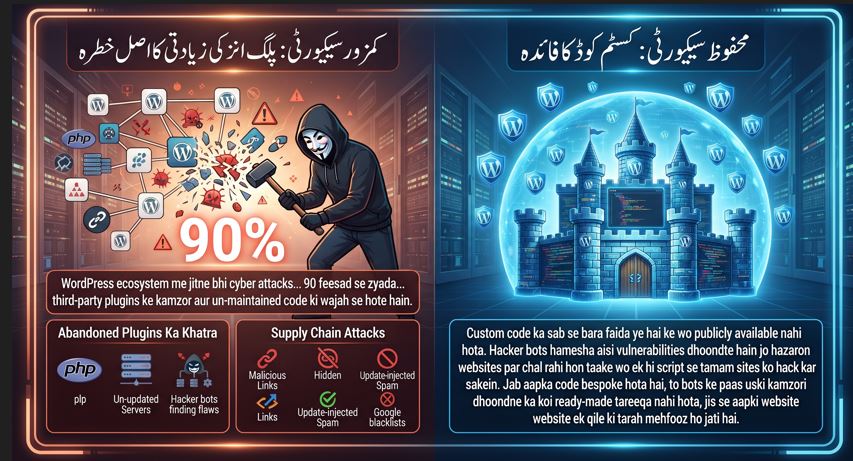
Speed ke ilawa, plugins ko custom code se replace karne ki sab se bari wajah security hai. WordPress ecosystem me jitne bhi cyber attacks, malware injections, aur hacking ke waqiyat hote hain, unme se 90 feesad se zyada WordPress ke core software ki wajah se nahi hote, balki third-party plugins ke kamzor aur un-maintained code ki wajah se hote hain.
1. Abandoned Plugins Ka Khatra
Bohat se developers plugins bana kar WordPress repository par daal dete hain, lekin kuch saal baad unhein update karna chorr dete hain. Purane PHP versions par likha gaya code naye servers par security holes paida karta hai. Agar aap aisi third-party scripts par depend karte hain, to hacker automated tools ke zariye aisi kamzoriyon ko dhoond kar pooray server ka access hasil kar lete hain.
2. Supply Chain Attacks
Aksar aam plugins ko chote developers se koi aisi company khareed leti hai jiska maqsad software me malicious links ya hidden tracking inject karna hota hai. Naye update ke aate hi aapki site par spam links inject ho jate hain aur Google aapki website ko blacklist kar deta hai.
3. Custom Code Ka Security Advantage
Custom code ka sab se bara faida ye hai ke wo publically available nahi hota. Hacker bots hamesha aisi vulnerabilities dhoondte hain jo hazaron websites par chal rahi hon taake wo ek hi script se tamam sites ko hack kar sakein. Jab aapka code bespoke hota hai, to bots ke paas uski kamzori dhoondne ka koi ready-made tareeqa nahi hota, jis se aapki website ek qile ki tarah mehfooz ho jati hai.
Maintenance Aur Upgrades: Kya Custom Code Sambhalna Aasan Hai?
Aam tor par logon ke zehn me ye galat fehmi hoti hai ke agar hum custom code likhein ge to har WordPress update ke baad site toot jaye gi aur humein developer ko bar bar bulana paray ga. Haqeeqat iske bilkul bar-aks hai.
Standard APIs Ka Istemal
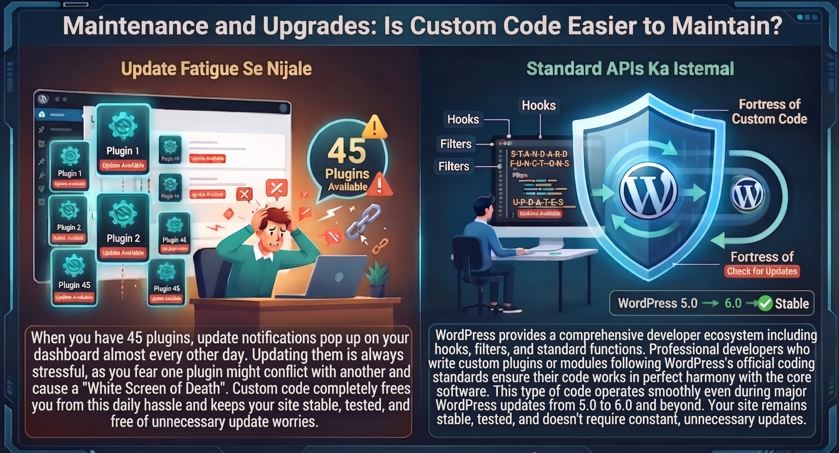
WordPress ek mukammal developer ecosystem provide karta hai jisme hooks, filters, aur standard functions shamil hain. Jo professional developers WordPress ke official coding standards ko follow karte hue custom plugins ya modules likhte hain, unka code core software ke sath qadam mila kar chalta hai. Aisa code WordPress ke 5.0 se 6.0 aur aage ke major updates ke doran bhi bina kisi takleef ke smoothly operate karta rehta hai.
“Update Fatigue” Se Nijaat
Jab aapke paas 45 plugins hote hain, to har teesre din dashboard par kisi na kisi plugin ka update notification aa raha hota hai. Update karte hue hamesha darr rehta hai ke kahin koi plugin doosre ke sath takra kar white screen of death na le aaye. Custom code aapko is rozana ki jhanjhat se azaad kar deta hai. Aapki site stable rehti hai, test ki hui rehti hai, aur be-wajah ke updates ki zaroorat nahi parti.
4 Marhalay: Plugins Se Custom Code Par Muntaqil Hone Ka Tariqa
Agar aapki website is waqt plugin bloat ka shikar hai, to foran andhadhundh plugins deactivate karna shuru na karein. Is tabdeeli ko ek munazzam tareeqay se chalana chahiye taake live site ka koi functionality break na ho:
Marhala 1: Full Audit Aur Feature Mapping
Pehle tamam active plugins ki list banayein aur unhein teen categories me taqseem karein:
Critical Modules: Wo bare systems jinhein replace karna mushkil hai (misal ke tor par WooCommerce core ya koi bara LMS system).
Consolidation Candidates: Wo chote plugins jo simple layout, tracking, custom post types, ya form functions ke liye hain.
Redundant/Faltu Plugins: Wo plugins jin ka data ab zaroorat nahi raha ya jo sirf cosmetic cheezon ke liye lage hue hain.
Marhala 2: Staging Environment Par Testing
Kabhi bhi live server par direct experiment na karein. Website ka ek clone (staging copy) banayein. Wahan redundant plugins ko deactivate karein aur dekhein ke kaun sa feature gayab hota hai.
Marhala 3: Bespoke Site Plugin Ka Qayam
Un tamam choti functionalities ke liye jo aapko required hain, unka clean, modular, aur native PHP structure tayar karein. Is code ko theme ki functions.php file me daalne ke bajaye ek mustaqil custom plugin ki shakal me pack karein taake agar mustaqbil me theme change bhi ho, to aapka functionality module mehfooz rahay.
Marhala 4: Database Clean-Up Aur Production Launch
Plugins deactivate karne ke baad unke chorrhe hue table records aur autoloaded options ko database se safely remove karein. Staging par speed aur Core Web Vitals ko benchmark karein. Jab sab kuch 100 feesad theek chal raha ho, to is clean architecture ko production server par deploy karein.
Nateeja: Performance Hi Conversion Hai
Modern internet par slow website chalana seedha seedha apne competitors ko customer gift karne ke barabar hai. User ke paas itna waqt nahi hota ke wo ek button dabane ke baad 4 second tak ghoomte hue loader ko dekhta rahay.
Third-party plugins shuruati tor par sahulat zaroor dete hain, lekin aakhir kar wo aapki site ko bhari, slow, aur insecure bana dete hain. In ghair zaroori plugins ko nikal bahar karna aur unki jagah lightweight, purpose-built custom code shamil karna aapki website ki raftaar ko naya jeevan bakhshta hai, server ka bojh kam karta hai, aur Google me aapki rankings ko barhata hai.
Softerize Ke Sath Apni Site Ko Fast Aur Robust Banayein
Agar aapki WordPress ya WooCommerce website rozana ke plugin updates, slow checkout, aur kharab page speed se do-char hai, to waqt aa gaya hai ke surgical level ki optimization ki jaye.
Softerize aapke business ki zaroorat ko samajh kar ghair zaroori plugins ka khatma karti hai aur unki jagah high-performance, single-purpose custom WordPress plugins aur lightweight backends tayar karti hai. Hamara tayar kardah code na sirf aapke Core Web Vitals ko green karta hai balki aapki site ko long-term security aur stability faraham karta hai.
Apni website ka technical audit karwane aur custom plugin development ke baray me mashwaray ke liye aaj hi rabta karein: Softerize.online Par Consult Karein
WordPress par zyada plugins istemal karne se website ki speed par kya asar parta hai?
Zyadatar commercial plugins apni universal compatibility ke liye code me extra checks, frameworks, aur libraries shamil karte hain, jo website par 30 se 50 se zyada plugins hone par page load hone me 6 se 8 second tak ka waqt laga dete hain aur server ka response time (TTFB) barha dete hain.
Google Core Web Vitals par plugin bloat ke kya nuqsanat hain?
Plugins ki wajah se heavy JavaScript bundles browser ke main thread ko busy rakhte hain, jis se Interaction to Next Paint (INP) kharab hota hai, render-blocking CSS/JS ki wajah se Largest Contentful Paint (LCP) 5 se 6 second tak chal jata hai, aur notification ya chat widgets ki wajah se Cumulative Layout Shift (CLS) yani visual instability paida hoti hai.
Kin ahem kaamon ke liye kabhi bhi bhari plugins istemal nahi karne chahiyein?
Aap custom code ya native functions ke zariye Custom Post Types aur Nayi Taxonomies, Tracking Pixels aur Verification Tags, Redirection aur Simple URL Logic, Social Sharing aur Author Boxes, Floating Announcement Bars, aur Dynamic Pricing ya Custom Checkout Fields ko asani se handle kar sakte hain.
Third-party plugins ke mukabale me custom code security ke hawale se behtar kyun hai?
Hacker bots hamesha aisi public vulnerabilities dhoondte hain jo hazaron websites par chal rahi hon. Custom code publically available nahi hota, is liye bots ke paas uski kamzori dhoondne ka koi ready-made tareeqa nahi hota, jo website ko ek qile ki tarah mehfooz bana deta hai.
Kya har WordPress update ke baad custom code toot jata hai?
Nahi, agar professional developers WordPress ke official coding standards, hooks, filters, aur standard APIs ko follow karte hue custom plugins likhte hain, toh code core software ke sath qadam mila kar chalta hai aur major updates ke doran bhi smoothly operate karta rehta hai.
Plugins se custom code par muntaqil (migrate) hone ka saheeh tareeqa kya hai?
Iske liye 4 marhalay hain: Pehle tamam active plugins ka full audit aur feature mapping karein, phir staging environment par testing karein, uske baad ek bespoke site plugin ka qayam karein, aur aakhir me database clean-up karke production launch karein.